Domsammut
  • Home
  • Projects
  • Blog
  • Code
    • cms
    • squiz matrix
    • web

    404 pages inside Squiz Matrix for XML data sources

    31st October, 2013 0 1

    In Squiz Matrix, if you’re reading an XML data source and passing a parameter to this data source that you’re not sure if any data exists, you might want to send a 404 if no data is found as opposed to an empty asset returning a 200 Success.
    Written by Dom Sammut

    Read now Category Code
    analytics.js ga object in it's successfully loaded state.
    • google analytics
    • web

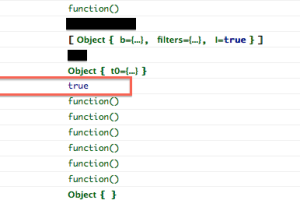
    Workaround for when the hitCallback function does not receive a response (analytics.js)

    17th July, 2013 12 20

    A solution for when Google Universal Analytics (analytics.js) is unable to load and you have code sitting inside a hitCallback function.

    Written by Dom Sammut

    Read now Category Code
    • facebook
    • web

    Get statuses from a Facebook page without OAuth via RSS or JSON

    17th June, 2013 2 5

    Pull Facebook statuses without using the Graph API. This can be done using the public RSS feed provided by Facebook that is returned in RSS/JSON/Atom.

    Written by Dom Sammut

    Read now Category Code
    • cms
    • squiz matrix
    • web

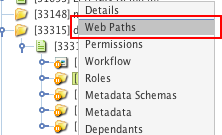
    Hide a directory or asset from the front-end using Web Paths in Squiz Matrix

    13th May, 2013 0 0

    In Squiz Matrix, you might wish to hide or prevent an asset from being viewable to the public. Using Web Paths, it takes just a couple of steps to hide the asset and its children.

    Written by Dom Sammut

    Read now Category Code
    • google analytics
    • javascript
    • web

    Setting up hitCallBack using Google Universal Analytics

    18th March, 2013 8 7

    How to send an event with a hitCallback function using Google Universal Analytics (Analytics.js).

    Written by Dom Sammut

    Read now Category Code
    • xpath
    • xsl

    Compare the current and next node names using XPATH

    4th February, 2013 0 1

    In your XSL, if you need to test to see if the next element is named the same as the current one you can use the following piece of code to get the result using a combination of XPATH axes and the name() function.

    Written by Dom Sammut

    Read now Category Code
Newer posts
Domsammut
© Copyright 2026 . Everything by Dom Sammut.

This server doesn't pay for itself that's why there are ads! To get rid of ads, how about donating? Who am I kidding, you won't donate. But to view transactions on my crypto accounts, click the links below!
Bitcoin: 15SanE6q1AJNa4Hoje9dy2mEMyZuWhLPwn
Eth: 0x8D8a313D0d8b65dae77cB65963455457A558D376